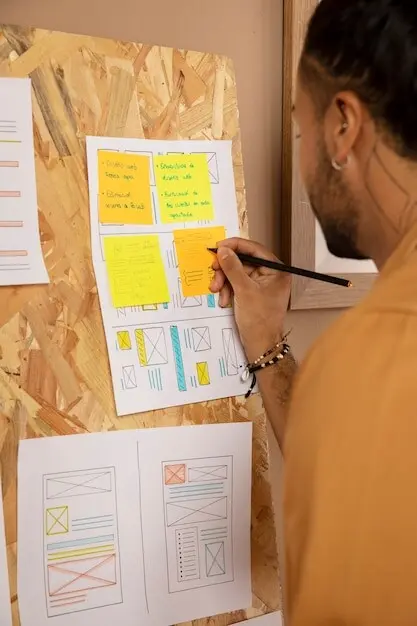
Draw Ideas That Think Back

Today we explore Thinking With Diagrams, a practical way to offload tangled thoughts onto a page so patterns, gaps, and possibilities reveal themselves. By sketching relationships instead of stacking sentences, you tame complexity, invite collaboration, and reach sounder conclusions faster. Expect stories from workshops, research-backed tactics, and simple habits that make visual reasoning an everyday superpower. Bring a pen, try the exercises, and share your sketches or questions in the comments so we can refine approaches together and celebrate breakthroughs as a learning community.

From Lines to Insight

When you diagram, you create an external working memory that reduces cognitive load and frees attention for judgment, curiosity, and synthesis. Dual coding research shows visuals paired with words improve recall and comprehension. In a product kickoff I facilitated, a messy wall of boxes and arrows transformed a circular argument into a shared plan within minutes. Drawing slows perception just enough to notice assumptions, then accelerates agreement because evidence and logic become visible, moveable, and collectively negotiable.

The brain prefers structured visuals

Gestalt principles help scattered details snap into groups, while preattentive features like color, size, and orientation pull attention to what matters without effort. By arranging elements into proximity, alignment, and clear hierarchy, you reduce noise and reveal intent. Consider how a simple cluster and a bold arrow can clarify dependency better than three paragraphs, giving teammates instant traction with fewer misunderstandings and faster follow‑up questions that propel momentum forward.

Slow marks, fast understanding

Writing forces pace, but drawing invites perspective. Each box or arrow becomes a testable claim, encouraging you to pause, ask why, and refine before committing. That temporary friction pays dividends: relationships emerge, contradictions surface, and next steps become obvious. In practice, thirty seconds of sketching a flow often prevents thirty minutes of debate, because the representation externalizes intention and invites targeted critique rather than vague disagreement rooted in unspoken mental models.

Shared drawings prevent costly drift

Teams frequently talk past each other, assuming identical meanings for different words. A quick diagram breaks this illusion by anchoring conversation around a visible, editable artifact. During a service redesign, a single swimlane clarified responsibilities across legal, support, and engineering in under an hour, eliminating weeks of conflicting tickets. Because everyone co‑authors the picture, alignment is earned, not declared, and future updates are easier since context lives in shapes, not fragile memory.

Concept maps versus mind maps

Mind maps radiate from a central idea and encourage breadth, which is ideal for exploring possibilities and collecting fragments. Concept maps, by contrast, force you to label relationships explicitly with connecting phrases, making them better for teaching, documenting knowledge, and exposing logical gaps. Use both sequentially: diverge with a mind map to surface raw material, then converge with a concept map to articulate how pieces relate, revealing testable statements, dependencies, and definitional disagreements worth resolving.

Flowcharts and service blueprints

Flowcharts excel when you must capture conditional logic and outcomes, particularly in onboarding, triage, or escalation paths. Service blueprints extend beyond steps to show the choreography of people, systems, and evidence across touchpoints. By layering frontstage actions, backstage support, and internal processes, hidden constraints and wait times become visible. Pair them to design humane operations: sketch the decision tree, then expand into a blueprint that clarifies handoffs, failure points, and measurable service promises customers can actually feel.

Causal loops and systems sketches

When problems resist linear fixes, causal loop diagrams help you map reinforcing and balancing feedback. Label polarities, delays, and unintended consequences to anticipate how interventions might backfire. For example, discount promotions may boost signups while eroding perceived value, increasing churn and future acquisition costs. Systems sketches do not require mathematical precision to be useful; they invite humility and staged experiments. Share them with stakeholders to cultivate patience, choose leading indicators, and sequence actions that respect complex dynamics.

Visual Grammar That Guides Attention

A small vocabulary of marks can express powerful thinking. Lines define boundaries, arrows imply causality or flow, containers group meaning, icons cue metaphors, and whitespace breathes. Preattentive attributes like hue and size should be used sparingly to encode priority, not decoration. Layout conveys story: left‑to‑right suggests time, center radiates influence, top implies oversight. By being intentional with these choices, you create diagrams that people grasp quickly, critique productively, and remember long after the meeting ends.

Tools and Habits That Stick

Great diagrams come from steady practice, not fancy software. Start analog with index cards, sticky notes, and a fine pen, then migrate to digital when sharing or iterating. Establish a capture routine, a naming convention, and a weekly review. Templates are helpful, but treat them as scaffolding you can discard. The real engine is habit: drawing during meetings, summarizing calls visually, and reflecting on outcomes. Small, repeated actions compound into fluency that makes complex work feel lighter.
Carry a slim notebook and dedicate the left page to visuals, the right to short captions. After each conversation, diagram the key entities, flows, and open questions. Photograph and file by date and project tag later. This ritual hardens fleeting insights into referenceable maps, revealing patterns across weeks. Because it is friction‑light, you will actually do it, and the accumulated library becomes a trustworthy partner when preparing briefs, proposals, retrospectives, and targeted follow‑ups that earn credibility.
Digital whiteboards and note apps let you zoom, duplicate, and remix without redrawing. Build reusable libraries of arrows, containers, and icons. Use layers for alternatives, and export iterative snapshots to tell the story of decisions over time. A stylus restores the nuance of handwriting while preserving searchability. Mind the temptation to overpolish; clarity beats gloss. Share working files so collaborators can move shapes, not just comment, turning review cycles into co‑creation instead of passive approval queues.
Good ideas die in unread folders. Adopt a clear convention like project_key.diagram_purpose.v03.yyyymmdd and keep a changelog inside the canvas. Store source files alongside exports, and link them from meeting notes. Tag with canonical labels so searches succeed later. During handoffs, include a brief legend and an intent statement to preserve meaning beyond the original authors. These small practices prevent lost context, accelerate onboarding, and let future teammates build on work rather than unknowingly recreate it.

Collaboration in Lines and Boxes

Facilitation moves that unlock voices

Begin with a clear purpose and a simple legend so nobody hesitates to participate. Rotate the marker to prevent dominance. Time‑box rounds for proposing, clustering, and naming patterns. Normalize dissent by parking unclear boxes with a question mark instead of forcing agreement. Close with visible decisions, owners, and review dates. Participants leave knowing what changed, why it matters, and how to keep momentum, turning a drawing session into a durable alignment engine rather than a pretty artifact.

Boundary objects that bridge domains

A boundary object is flexible enough for multiple groups to use yet stable enough to maintain identity. A lightly formalized diagram can serve marketing, engineering, and compliance simultaneously. Each reads their concerns into it, while shared labels preserve coherence. Keep language plain, note assumptions, and mark data sources. When everyone can translate through a single visual, disagreements surface earlier, success criteria sharpen, and handoffs stop leaking meaning between departments that previously spoke different professional dialects.

Remote rituals for visual alignment

Distributed teams need intentional cadence. Schedule brief map‑reviews where each person annotates silently for two minutes before discussion, reducing anchoring. Use cursor parking and numbered callouts to avoid cross‑talk. Record a short walkthrough video for absentees, linking artifacts in a persistent hub. Rotate a scribe role so institutional memory grows fairly. These small rituals sustain shared understanding across time zones, keep diagrams living, and welcome newcomers who can trace decisions without decoding fragmented chat logs.

Stress-testing with counterexamples

Before acting, ask what would make this representation wrong. Seek edge cases, historical failures, and stakeholder narratives that do not fit neatly. Try inverting arrows, removing nodes, or flipping sequences to reveal brittle spots. This disciplined discomfort prevents naive optimism and invites realistic guardrails. Capture unanswered objections as explicit risks with owners and dates. By welcoming disconfirming evidence, you transform a persuasive sketch into a reliable guide that survives contact with messy, real‑world complexity.

Iterative loops that respect ambiguity

Diagrams gain accuracy through cycles: sketch, test, observe, revise, repeat. Keep changes small and visible to maintain shared ownership. Annotate what changed and why, linking to notes or data. Ambiguity is not failure; it is a cue to branch alternatives and explore. Set review intervals, prefer concrete experiments, and retire obsolete versions compassionately. Over time, the artifact becomes a trustworthy map of collective learning, showing not only where you ended, but how you actually got there.

Translating lines into commitments

End every session with explicit next steps. Convert arrows into responsibilities, decision diamonds into criteria, and clusters into workstreams. Create checklists tied to the diagram so execution references the same model that inspired it. Assign names, dates, and signals of success. Publish a one‑page brief alongside the visual to protect context. When commitments live near the map, teams navigate confidently, stakeholders track progress, and lessons learned feed back into the drawing, closing the loop from insight to impact.

Lentolumadaritavonarivelto
Privacy Overview

This website uses cookies so that we can provide you with the best user experience possible. Cookie information is stored in your browser and performs functions such as recognising you when you return to our website and helping our team to understand which sections of the website you find most interesting and useful.